The DAW built for transcribing
The practice room for musicians
Drop in a song and start transcribing in seconds. Split stems, slow down, transpose. Save the lick to your Language Library and tag it. Save the groove into your groove library, stored inside your personal metronome.
One-time price · 14-day full-featured trial · Built native for Apple Silicon (M1 or newer, macOS 14+) · Everything on-device
Five features, all in one place
Built by a working musician to make practice easier.
Hear through the mix.
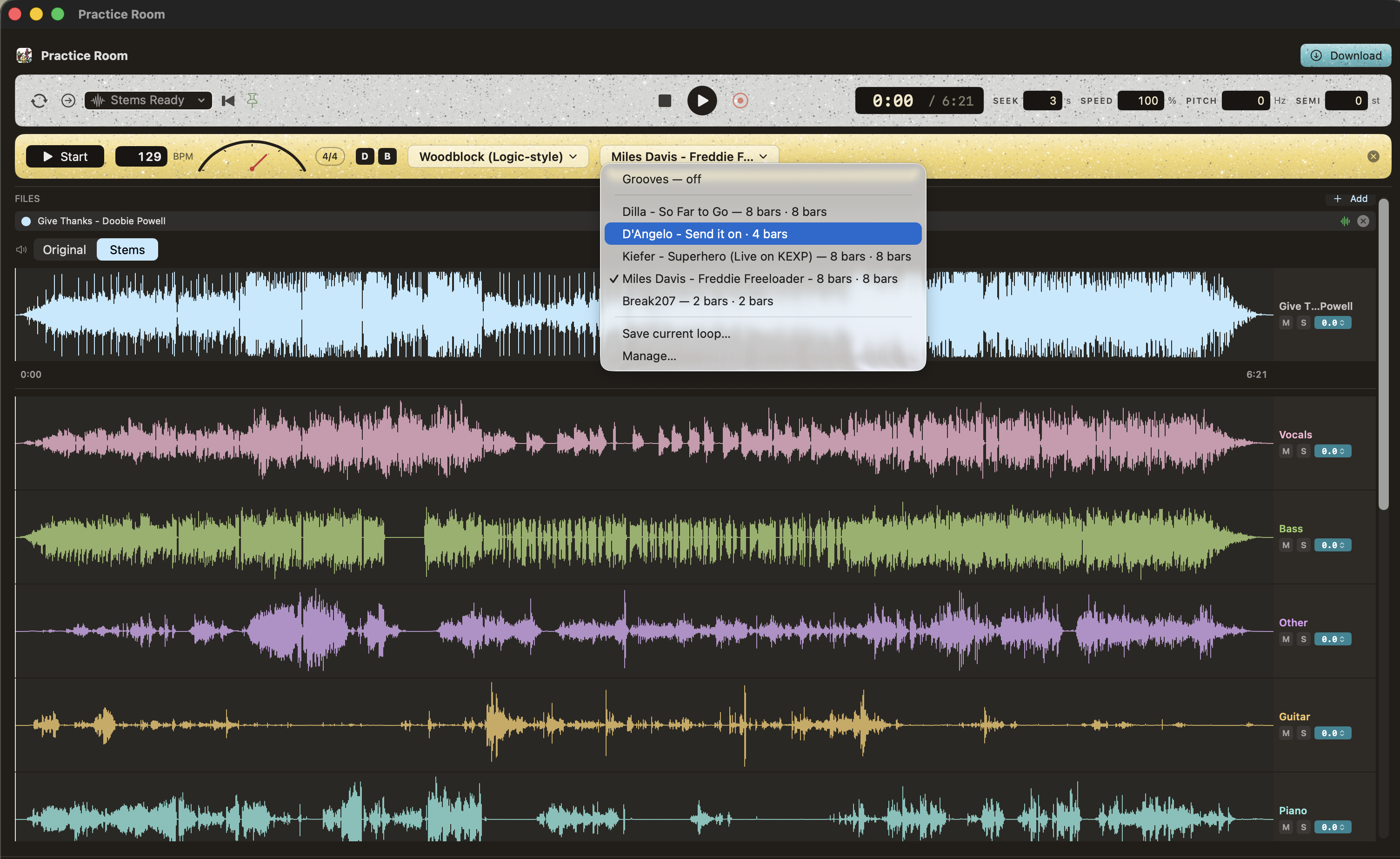
Vocals, bass, guitar, piano, and drums, split six ways: kick, snare, toms, hi-hats, ride, and crash. Separation paired with slowdown that stays clear.
Never forget a lick.
What was that out lick that Herbie played comping behind Miles, on Live at the Plugged Nickel? One click in your personalized language library takes you back to that exact moment, so you can easily jump back into internalizing the language.
Loops that lock in with the band.
Hit loop and get a perfect bar—boundaries locked to the recording's real grid, even when the tempo fluctuates. No more wrestling with Ableton warp markers, nudging loop points by hand.
Sampling made easy for producers.
The easiest way to collect and organize drum one-shots: select a drum transient then right click to save it in your samples folder.
Load grooves into your metronome.
Standard metronome, plus every groove that you save into your groove library. Stop switching between the google metronome, Drum Genius, and scattered Ableton and logic sessions when you’re practicing time.
One click to change between Tony Williams, Dilla, Church loops, and a basic click.
The full list of features
- Metronome with downbeat accent
- 11-stem separation: vocals, drums, bass, guitar, piano, other
- Drums split six ways: kick, snare, toms, hi-hats, ride, crash
- Clean slowdown, pitch-preserving
- Pitch shift by semitone or Hz
- Bookmarks for the spots you keep returning to
- Smart bar loops that land on the grid
- Synced video that loops & slows with the song — flip or rotate it to see the hands
- Key, tempo & meter detection, including compound meters
- Lyric transcription
- Record your own takes over the song
- Language Library: easily access any saved phrase
- Drag and drop your recordings from Voice Memos
- Drum one-shot chopping, named & sorted
- Import from a URL with your own tools
- Works fully offline, everything on-device
- One license, 2 Macs
How it works
Drop in a song
Any audio file - including voice memos
Split stems
Up to 11 stems.
Shed
Slow the record down, record yourself, and absorb the time, dynamics, articulation, spacing, etc. Save language in the language library, and grooves into the groove library.
- One-time purchase — no subscription
- 14-day full-featured free trial
- License covers 2 Macs
- Free point updates
- Everything runs on-device — works offline